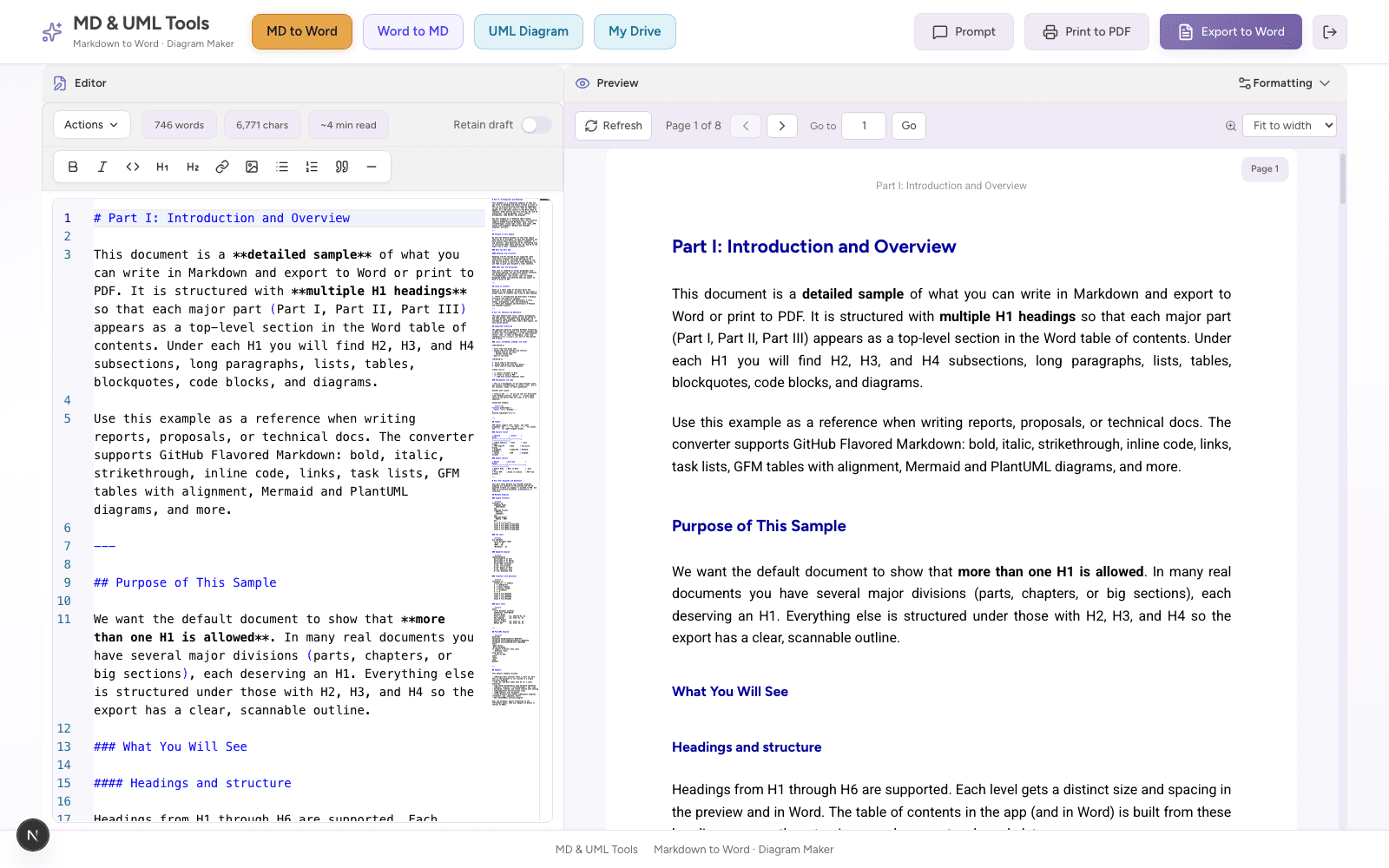
Markdown editor with live Word preview
Write markdown on the left and inspect the A4 Word-style preview on the right before export.
Markdownyi turns LLM output into client-ready Word documents, PDFs, and UML diagrams, with a live A4 preview, Mermaid & PlantUML, and a free 50 MB drive.
Convert, diagram, and reverse-engineer documents without leaving the browser.
Monaco editor, formatting toolbar, live paginated preview, and export to .docx or PDF. Add tables, code blocks, images, and diagrams when needed.
Learn moreUpload a .docx and convert to clean markdown with images. Ideal before re-prompting an AI or moving content to git.
Learn morePlantUML & Mermaid editor with zoom, themes, and SVG/PNG/PDF export. Embed straight into Word from markdown.
Learn moreReal screens from the editor, formatting panel, and diagram workspace.
Write markdown on the left and inspect the A4 Word-style preview on the right before export.
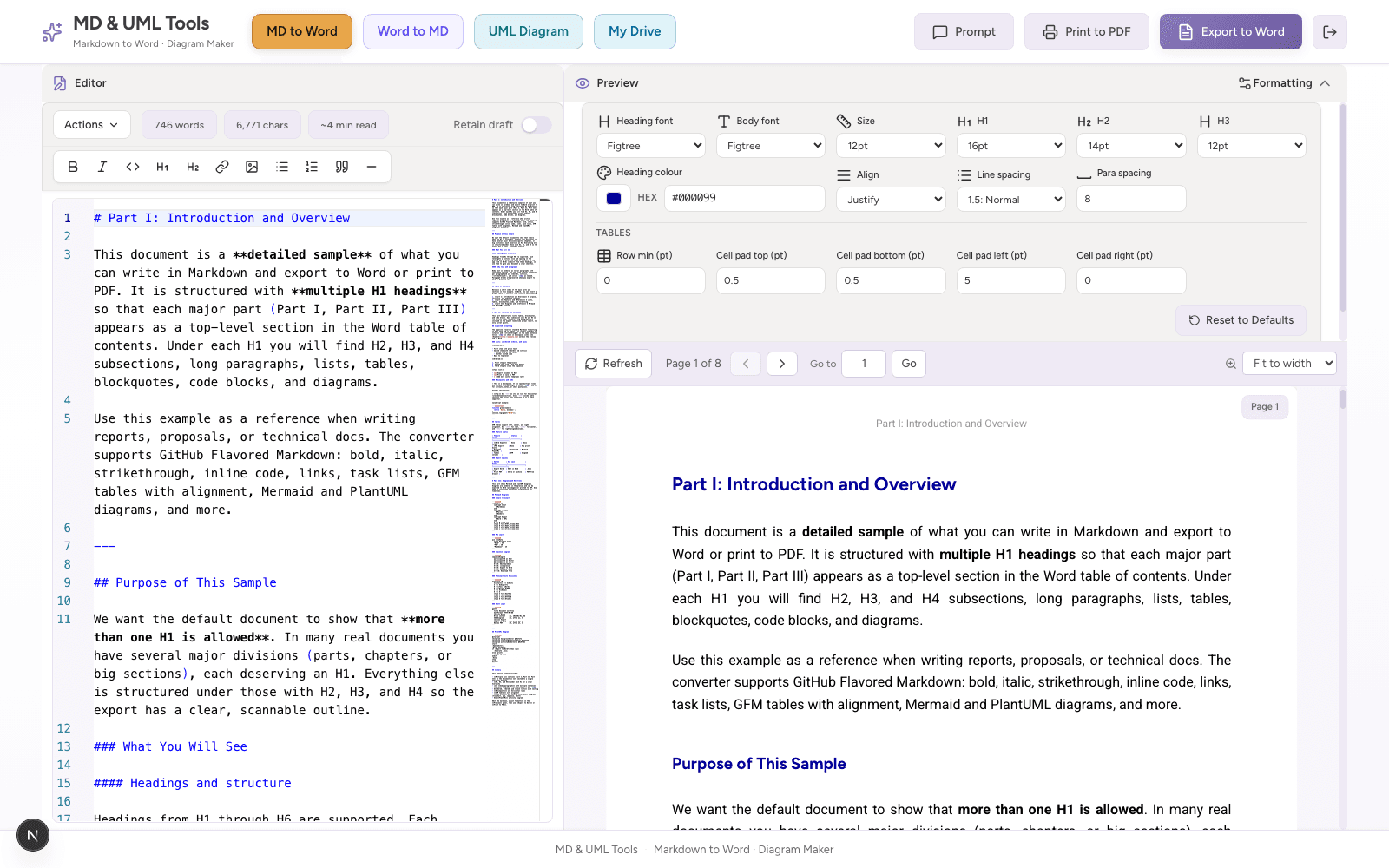
Tune fonts, heading sizes, spacing, alignment, heading colours, and table padding before download.
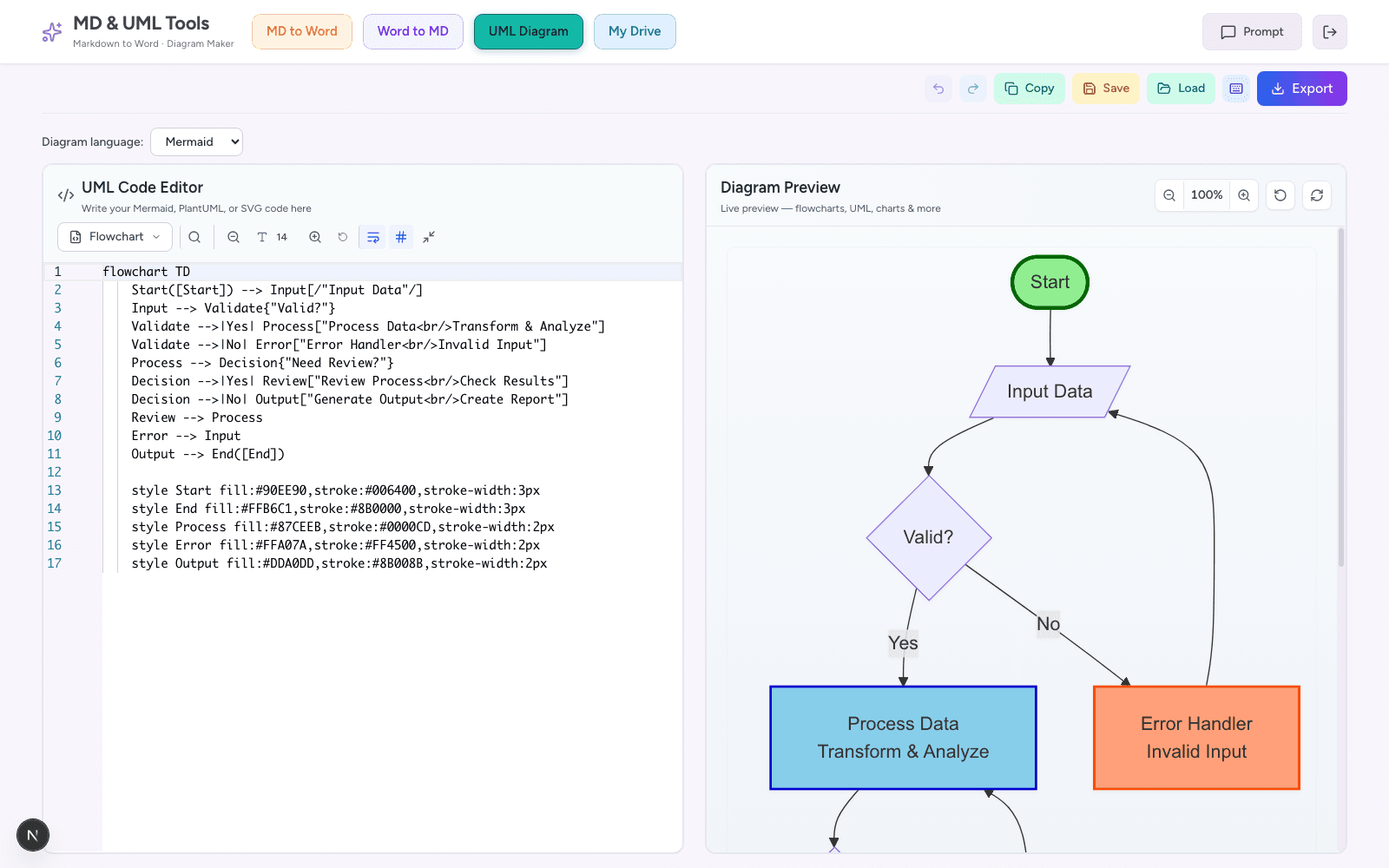
Edit text-based diagram source, preview the rendered visual, then export or embed it in documents.
Markdownyi is for the moment when good markdown needs to become a file someone can approve, comment on, archive, or send.
Turn README files, API specs, architecture notes, sequence diagrams, and Mermaid blocks into Word documents for product, security, and client review.
Move from AI-assisted drafts to polished proposals, implementation plans, statements of work, and technical appendices without rebuilding formatting by hand.
Write in markdown or use AI for structure, then export Word or PDF for advisors, reviewers, class submissions, and research handoffs.
Keep content lightweight while still delivering files that non-technical teammates can open, comment on, and share through normal business workflows.
Use markdown as the working format, then export the right delivery file for each audience.
Export editable .docx files for Track Changes, comments, stakeholder review, and Microsoft 365 workflows.
Preserve headings, tables, lists, links, code blocks, images, and spacing so AI-generated markdown becomes a readable report.
Render Mermaid and PlantUML source in preview, then ship visuals inside documents or through dedicated diagram exports.
A compact view of the formats and document features Markdownyi supports from the homepage.
Mermaid and PlantUML pages are indexed for SEO, but kept out of the main navigation.
Tune the document before export so the .docx is readable, reviewable, and consistent.
Move between markdown, Word, PDF, AI drafts, and diagram assets without local setup.
A simple path from rough AI draft to a file your team can review.
Prompt ChatGPT, Claude, Gemini, or any model for markdown. Include Mermaid or PlantUML blocks when you need diagrams.
Open Markdownyi, paste content, tune fonts and layout, fix markdown with one click, and preview paginated A4 output.
Download .docx for Track Changes and comments, or print to PDF. Store every file on your 50 MB drive.
Markdownyi is designed for the practical middle ground between developer-friendly markdown and business-friendly Word files.
Most markdown-to-Word problems appear only after the file is opened: tables overflow, diagrams lose context, code blocks wrap badly, and AI-generated headings feel uneven. Markdownyi keeps the Word-style preview visible while you edit, so layout issues are fixed before the document reaches a reviewer.
This makes the workflow useful for proposals, implementation plans, API documentation, architecture notes, classroom submissions, research reports, and internal operating guides. The markdown remains your source of truth while the exported Word or PDF becomes the handoff.
Use markdown for fast drafting, then export a Word file that supports comments, Track Changes, and familiar approval workflows.
Keep code examples, tables, architecture diagrams, and process flows together in one source before producing a polished deliverable.
Ask an AI for structured markdown, inspect every section in the A4 preview, then correct spacing, labels, diagrams, and tables before export.
Pandoc is powerful for automation. Markdownyi is built for the human review loop, with live preview, diagram support, and editable exports in one browser workspace.
| Markdownyi | Pandoc CLI | Copy & paste | |
|---|---|---|---|
| No install, runs in browser | |||
| Live paginated preview | |||
| Mermaid & PlantUML in Word | |||
| Word to Markdown reverse | |||
| Editable Word output | |||
| PDF handoff path | |||
| Syntax-highlighted code | |||
| Personal file storage | |||
| Keeps tables & formatting | |||
| Built for AI / LLM output |
Pandoc remains excellent for scripted pipelines and advanced templates. Markdownyi focuses on the day-to-day workflow most teams need: paste or write markdown, inspect the Word-style preview, fix formatting before export, and hand over a file that reviewers can use immediately.
Copy and paste can work for tiny notes, but it usually breaks tables, code, diagram formatting, and document spacing. Markdownyi keeps those pieces visible before export so technical content does not lose structure on the way to Word or PDF.
Yes. Free accounts include MD to Word, Word to MD, the UML editor, and 50 MB of personal file storage.
Absolutely. ChatGPT, Claude, Gemini, Copilot, and other LLMs output markdown: paste it directly into Markdownyi and export Word or PDF.
Yes. Diagram blocks in your markdown render in live preview and embed in .docx exports automatically.
No. Everything runs in the browser. No CLI tools or local installs required.
Free account · Email verification · 50 MB personal drive · No credit card required